
Warehouse
The
The level of the
| Building Level | Max Couriers Couriers Couriers Couriers Couriers Couriers Couriers Couriers Couriers Couriers Couriers Couriers Couriers Couriers Couriers Couriers Couriers |
|---|---|
| 1 | 2 |
| 2 | 4 |
| 3 | 6 |
| 4 | 8 |
| 5 | 10 |
Interface
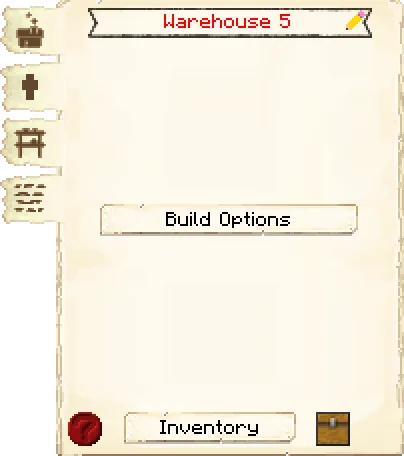
The first tab of the GUI is the main interface.
- Header:
- Building Name: Shows the name of the building, including the level of the building.
- Pencil: Allows you to rename the building. The level of the building will always be listed after the name.
- Controls:
- Build Options: Lets you create a build, upgrade, or repair build order for this hut. To learn more about the building system, please visit the page.
- Footer:
- Info Button: Some huts have an in-game guide. Press the ? button to access it.
- Inventory: Here you can access the hut block’s storage, where the worker at this hut takes and deposits materials. They will also use any racks that were placed in the hut when it was built or upgraded, so be sure to check those as well!
- Chest Icon: Click this button to see all the items in the hut’s storage (including the hut block’s inventory and any racks that came with the hut). Clicking the ? button next to an item’s count will highlight the storage container it’s in.
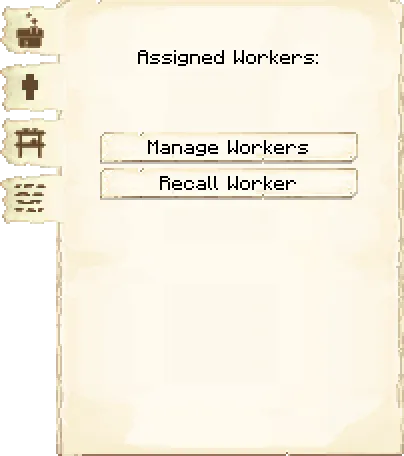
The second tab of the GUI is the workers.
- Assigned Workers: A list of the CouriersCouriersCouriersCouriersCouriersCouriersCouriersCouriersCouriersCouriersCouriersCouriersCouriersCouriersCouriersCouriersCouriersassigned to thisWarehouseWarehouseWarehouseWarehouseWarehouseWarehouseWarehouseWarehouseWarehouseWarehouseWarehouseWarehouseWarehouseWarehouseWarehouseWarehouseWarehouse.
- Manage Workers: You can choose which CouriersCouriersCouriersCouriersCouriersCouriersCouriersCouriersCouriersCouriersCouriersCouriersCouriersCouriersCouriersCouriersCouriersto hire at theWarehouseWarehouseWarehouseWarehouseWarehouseWarehouseWarehouseWarehouseWarehouseWarehouseWarehouseWarehouseWarehouseWarehouseWarehouseWarehouseWarehouse. Note: this only works if you have turned the worker hiring mode in theWarehouseWarehouseWarehouseWarehouseWarehouseWarehouseWarehouseWarehouseWarehouseWarehouseWarehouseWarehouseWarehouseWarehouseWarehouseWarehouseWarehouseblock to manual, otherwise yourCouriersCouriersCouriersCouriersCouriersCouriersCouriersCouriersCouriersCouriersCouriersCouriersCouriersCouriersCouriersCouriersCourierswill be hired automatically.
- Recall Workers: Recalls the CouriersCouriersCouriersCouriersCouriersCouriersCouriersCouriersCouriersCouriersCouriersCouriersCouriersCouriersCouriersCouriersCouriersat thisWarehouseWarehouseWarehouseWarehouseWarehouseWarehouseWarehouseWarehouseWarehouseWarehouseWarehouseWarehouseWarehouseWarehouseWarehouseWarehouseWarehouseto the hut block. You might use it if they are stuck somewhere, you want to see what they have, or want to give them something directly.
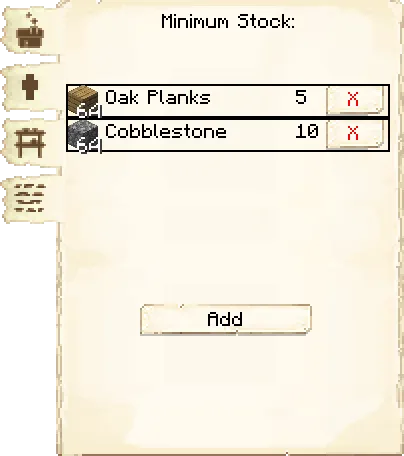
The third tab of the GUI is the minimum stock.
Use this button to tell the
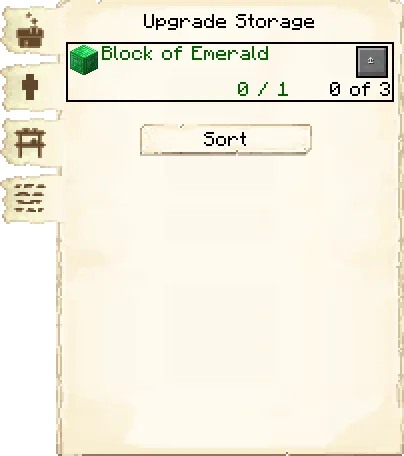
The fourth tab of the GUI is the storage.
- Block of Emerald: You can increase the max amount of stacks in each rack by pressing this button. This can only be done when the WarehouseWarehouseWarehouseWarehouseWarehouseWarehouseWarehouseWarehouseWarehouseWarehouseWarehouseWarehouseWarehouseWarehouseWarehouseWarehouseWarehouseis at level 5 and you have at least one block of emerald in your inventory. The storage can be increased 3 times.
- Sort: The sort option is available when the WarehouseWarehouseWarehouseWarehouseWarehouseWarehouseWarehouseWarehouseWarehouseWarehouseWarehouseWarehouseWarehouseWarehouseWarehouseWarehouseWarehousereaches level 3. It sorts and stacks all the items in the racks.
Warehouse
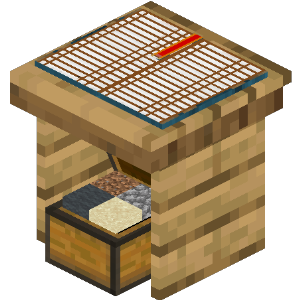
Recipe:















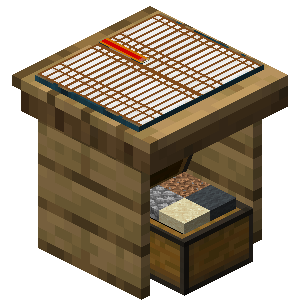
Research: No research is required for this building.
Worker: Courier
Warehouse
Recipe:
Research: No research is required for this building.
Worker: Courier
Warehouse
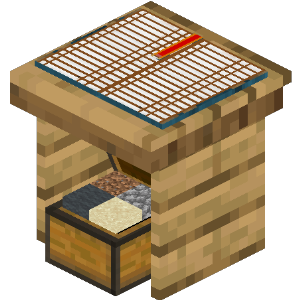
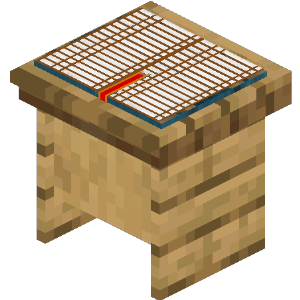
Recipe:















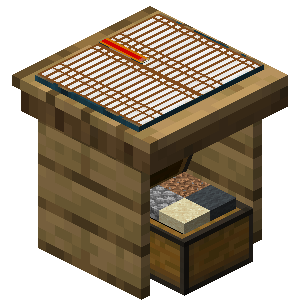
Research: No research is required for this building.
Worker: Courier
Warehouse
Recipe:
Research: No research is required for this building.
Worker: Courier
Warehouse
Recipe:
Research: No research is required for this building.
Worker: Courier
Warehouse
Recipe:
Research: No research is required for this building.
Worker: Courier
Warehouse
Recipe:
Research: No research is required for this building.
Worker: Courier
Warehouse
Recipe:
Research: No research is required for this building.
Worker: Courier
Warehouse
Recipe:
Research: No research is required for this building.
Worker: Courier
Warehouse
Recipe:
Research: No research is required for this building.
Worker: Courier
Warehouse
Recipe:
Research: No research is required for this building.
Worker: Courier
Warehouse
Recipe:
Research: No research is required for this building.
Worker: Courier
Warehouse
Recipe:
Research: No research is required for this building.
Worker: Courier
Warehouse
Recipe:
Research: No research is required for this building.
Worker: Courier
Warehouse
Recipe:
Research: No research is required for this building.
Worker: Courier
Warehouse
Recipe:
Research: No research is required for this building.
Worker: Courier
Warehouse
Recipe:
Research: No research is required for this building.
Worker: Courier
If changes are needed or you think there is content missing, feel free to edit this page or submit an issue for us to make edits. - MineColonies Wiki Team